
CodeScene MCP: Explore Your Insights
Early access
This is early access functionality. Contact your account executive to get access.
Ask your AI assistant about your code and get answers you can act on: where technical debt slows delivery, what to refactor first, what knowledge leaves with a person, and whether your quality safeguards work. The assistant reads the latest CodeScene analysis of the projects you can open, so every answer is based on your own data.
Connect the assistant first, as described in Connect CodeScene MCP.
Start with a ready-made report
Each report is a prompt and a template for a question that technical leaders and managers often ask. The assistant collects the analysis and turns it into a finished report: findings, priorities, and suggested next steps.
Your question |
Report |
|---|---|
Where across all our projects do we need to act? |
|
Which parts of the architecture are worth improving, and which can wait? |
|
What should the team refactor first, and what does it buy us? |
|
What happens if a key developer leaves? |
|
Where does a change in one place force changes, and coordination, elsewhere? |
|
Do our Code Health checks keep problems out of the main branch? |
To run a report, ask for it by name:
Run the CodeScene refactoring-targets report for the project "Payments".
Use the project’s name in CodeScene, or its id (the number in the project’s address) when several projects have similar names. In assistants that list prompts, the reports also appear as commands, such as /mcp__codescene__refactoring-targets in Claude Code.
The screenshots below are sample reports. The numbers are illustrative.
Portfolio overview
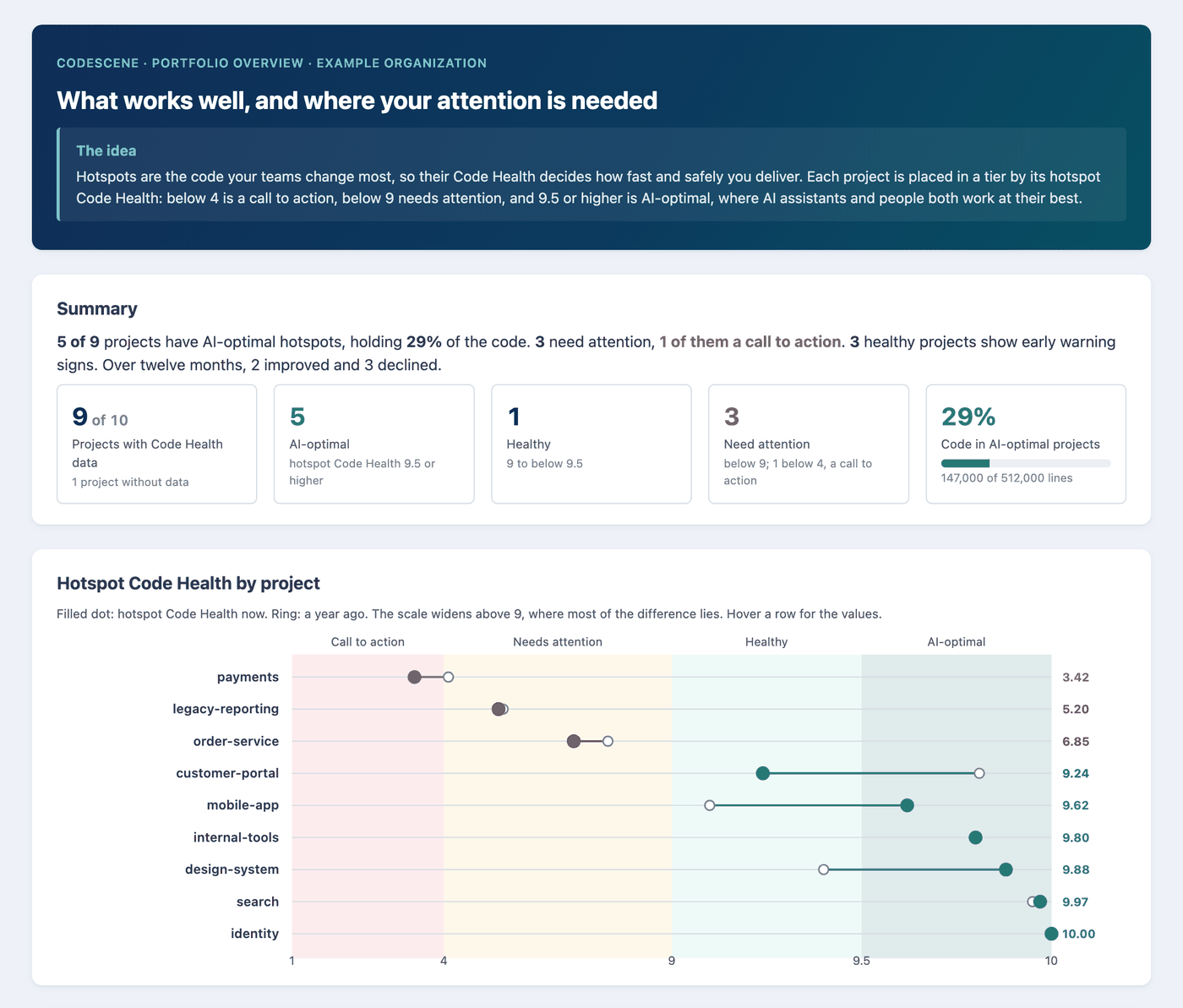
For CTOs and engineering leaders. One page across every project you can access. Each project is placed in a tier by the Code Health of its hotspots, the code your teams change most: a call to action, needs attention, healthy, or AI-optimal. You see what works well, where attention is needed first, and which projects improved or declined over the year. No project is needed: portfolio-overview.
Architectural hotspots
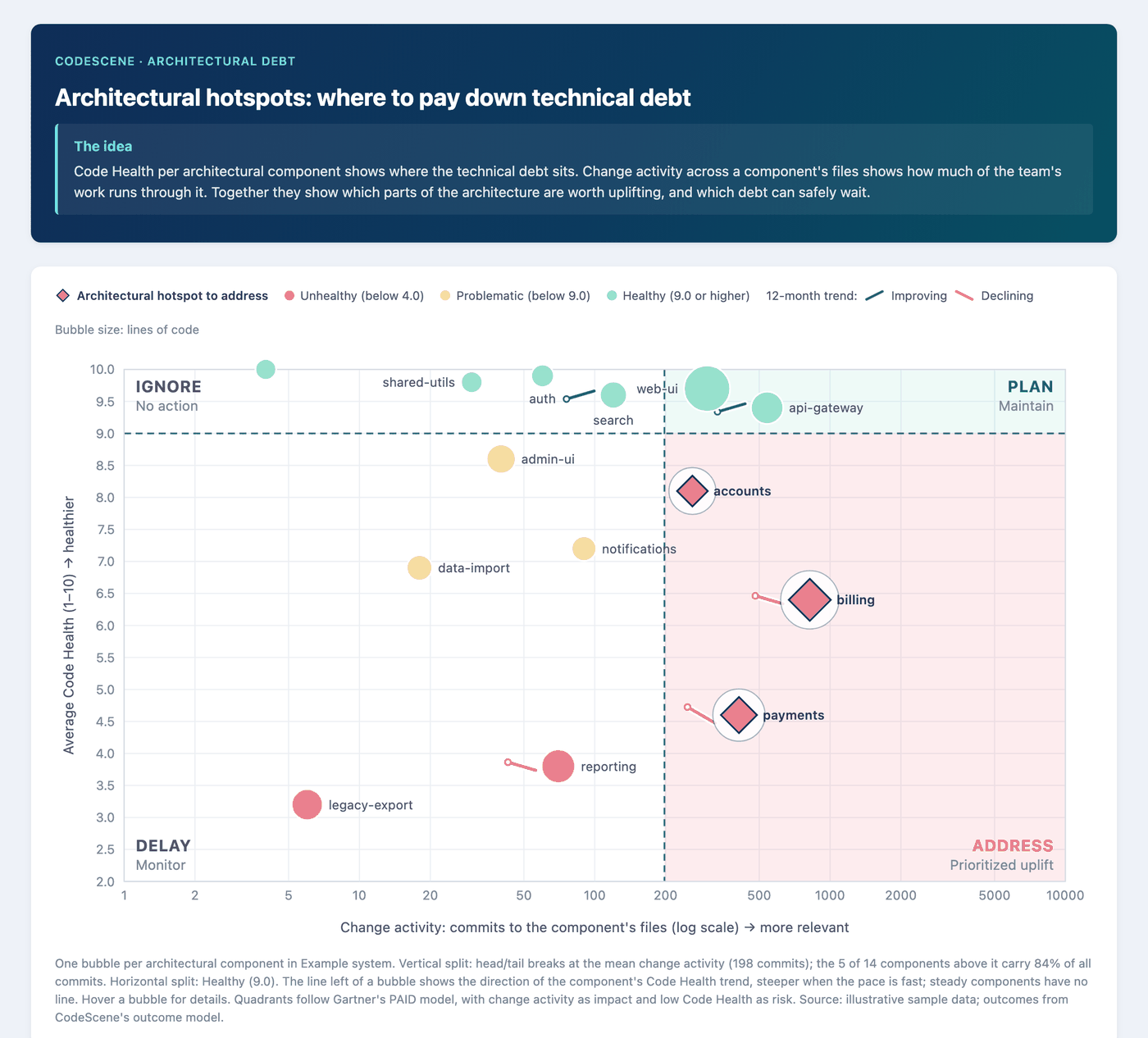
For architects and engineering managers. Places each architectural component by how often it changes and how healthy it is. That shows where improvement pays back in delivery speed, and which technical debt costs little because the code rarely changes. Use it to decide where to invest and to explain that choice to the business: architectural-hotspots.
Refactoring targets
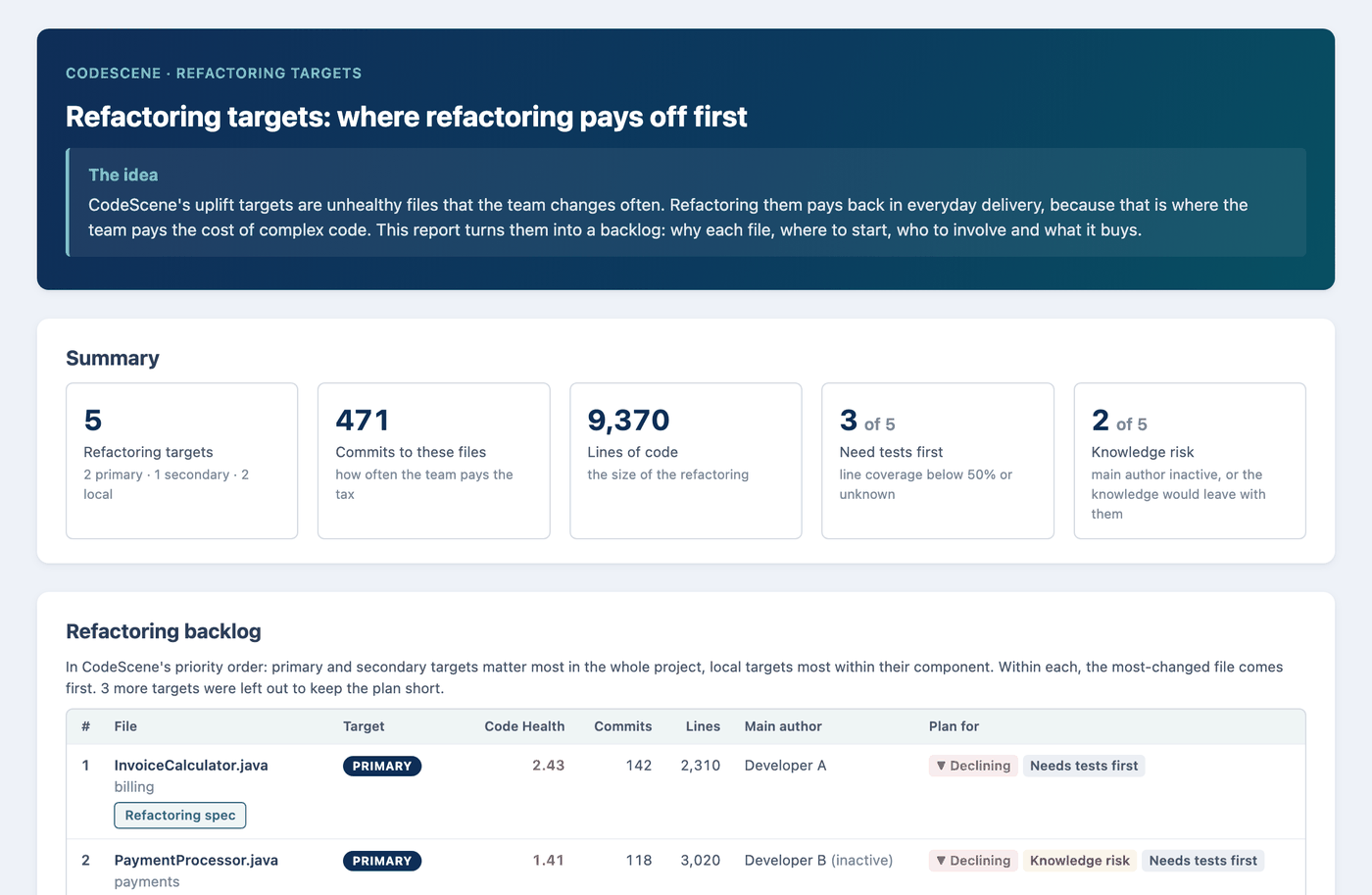
For engineering managers and tech leads. Turns the unhealthy files the team changes most into a backlog you can plan from: why each file, where to start, who to involve, and the risks to plan for, such as declining Code Health, knowledge risk, or missing tests. Each target comes with a refactoring spec you can hand to a coding agent: refactoring-targets.
Key person risk
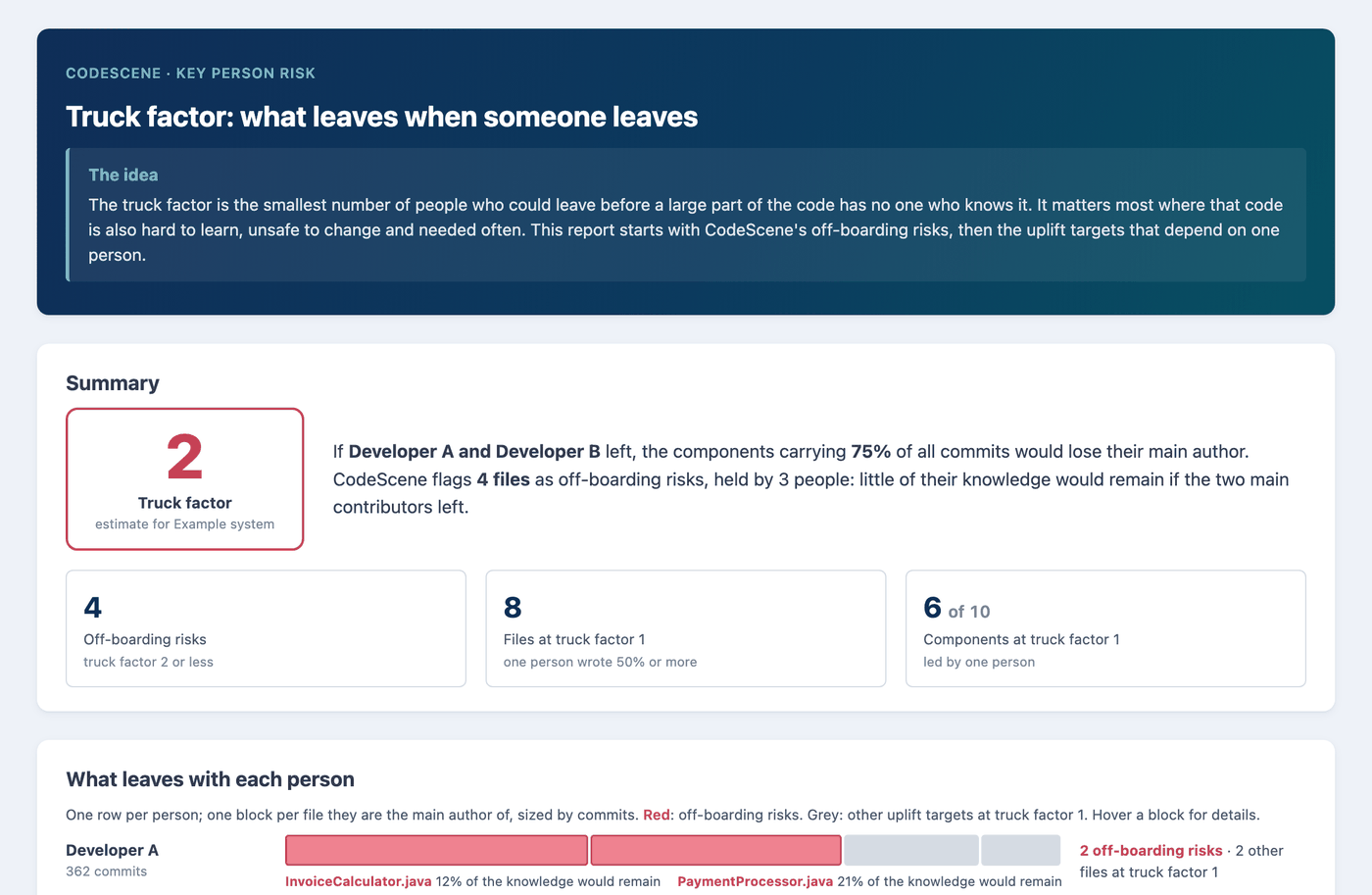
For engineering managers. Estimates the truck factor: how many people could leave before a large part of the code has no one who knows it. It shows what leaves with each person, which components depend on one person, and which files to hand over first. Use it to plan knowledge sharing and off-boarding before it becomes urgent: key-person-risk.
Change coupling
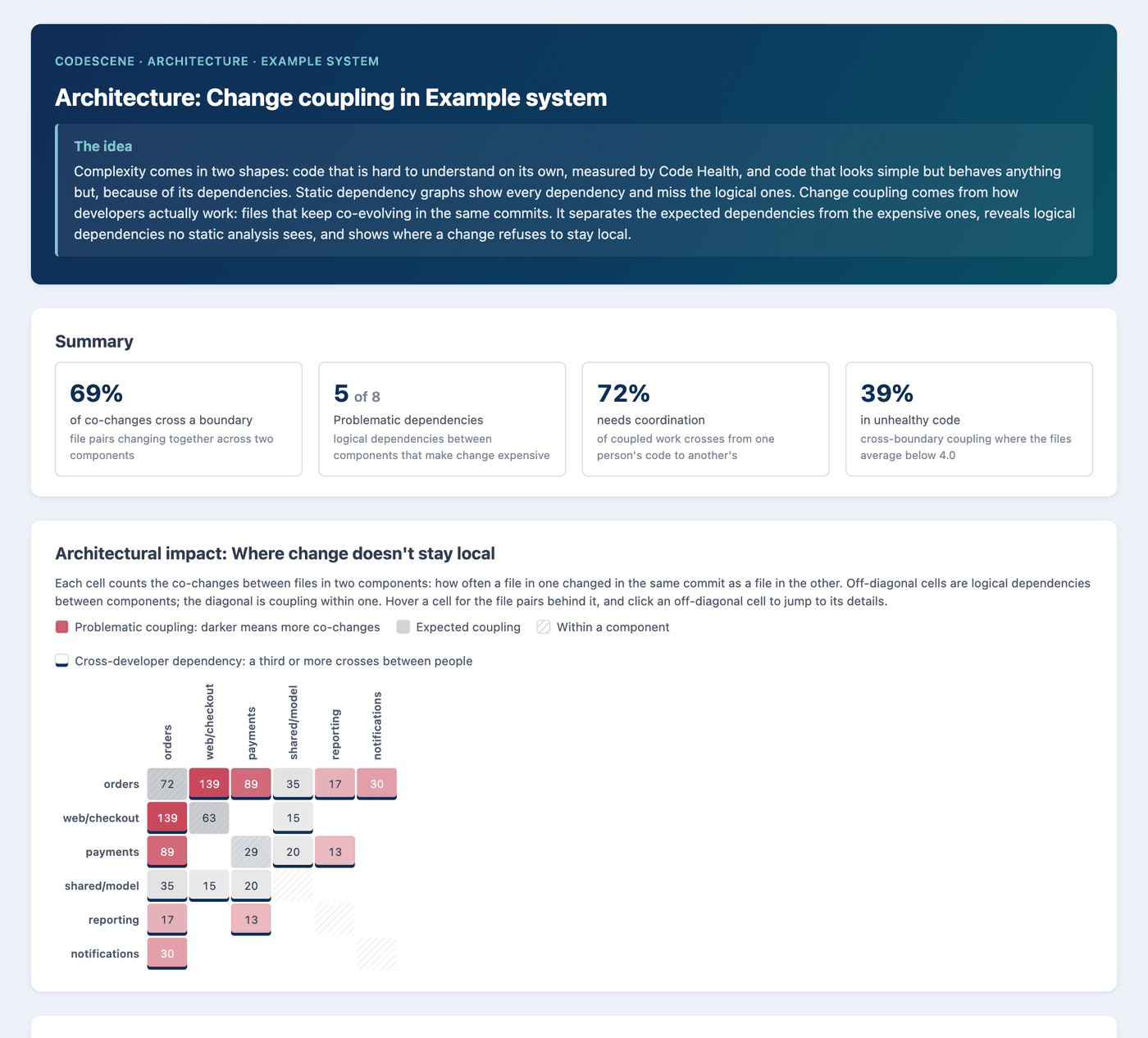
For architects and tech leads. Shows the dependencies that the commit history reveals and a static dependency graph misses: components that keep changing together. It separates expected coupling from the expensive kind, shows where the coupling forces coordination between people, and suggests whether to refactor or decouple first: change-coupling.
Pull request safeguards
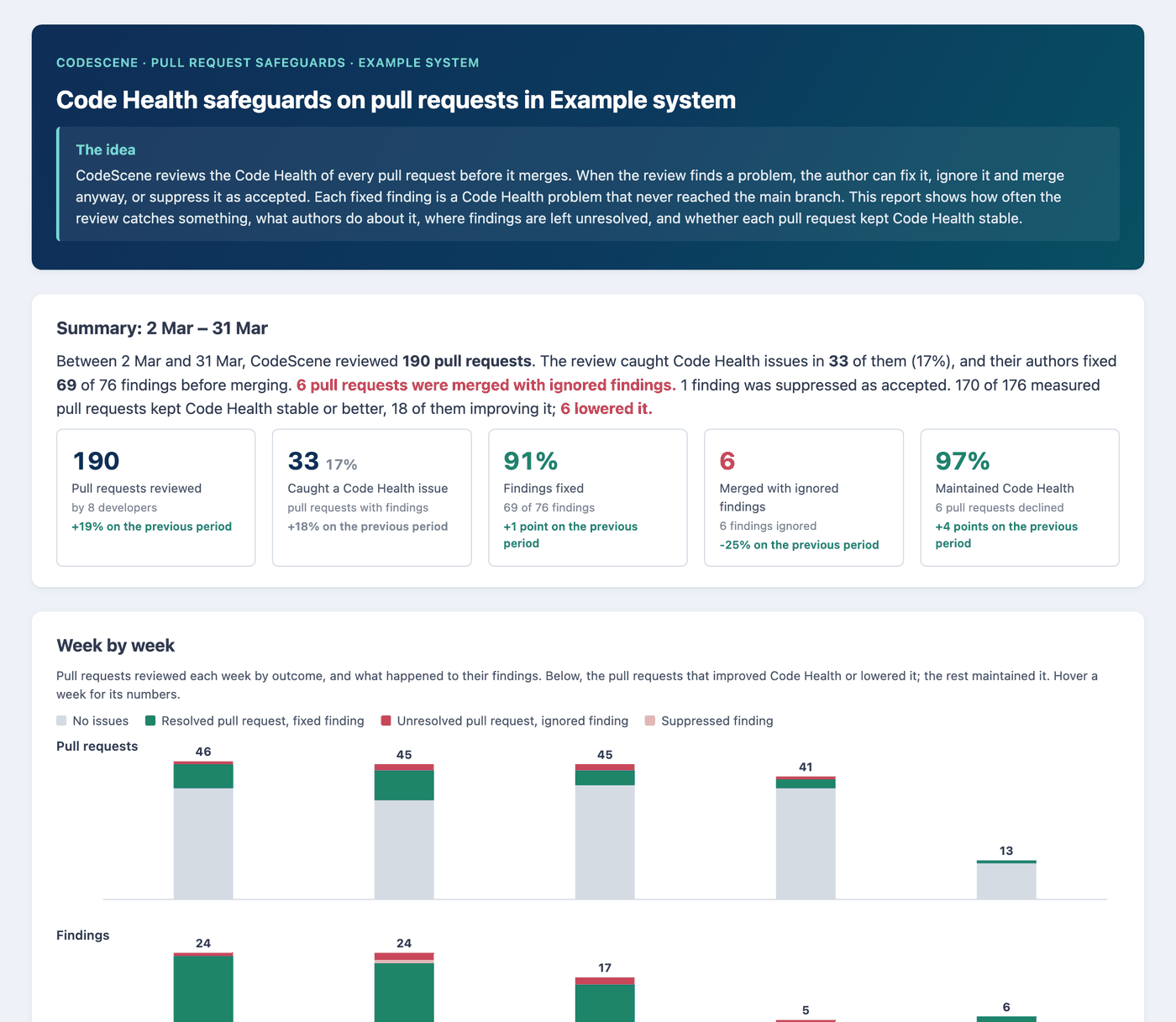
For engineering managers and quality leads. Shows how often the Code Health review of pull requests catches a problem, and what authors do about it: fix it, merge anyway, or suppress it. Each fixed finding is a problem that never reached the main branch. Use it to see whether the safeguard works and where findings are left unresolved: pull-request-safeguards.
To see how often Code Health checks in your developers’ AI coding assistants stop problems before commit, run mcp-safeguard-insights.
Build your own report
The templates are a starting point, not a limit. Ask for any report you need, and describe the audience, the question, and the shape:
Summarize the Code Health of the payments and checkout components in
five bullets for our VP, and name the three files to improve first.
Narrow a report to a team or a component, change the time window, combine two reports, or ask a question no template covers. The assistant reads the same analysis and presents it the way you ask.
Answers come from the latest analysis. When the assistant says the results need to be run again, run a new analysis of the project.